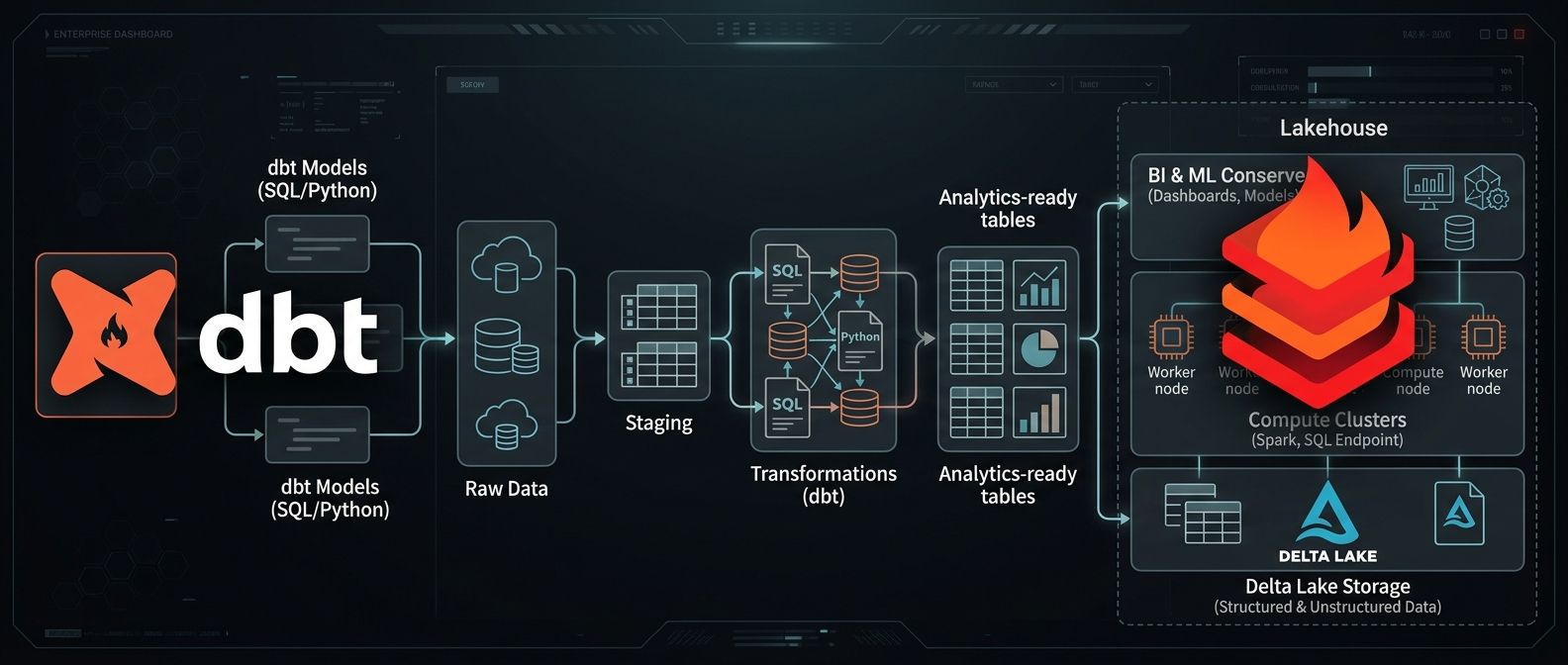
dbt on Databricks: Data Transformation Pipelines
How to connect dbt Cloud to Databricks Unity Catalog — step by step: SQL Warehouse, Unity Catalog, access tokens, project initialisation, and repository setup.

Radek Řezáč
dbt (data build tool) and Databricks are two of the most important tools in the modern data engineering stack. dbt handles transformation — turning raw data into structured, tested, documented models using SQL and Python. Databricks provides the compute and storage layer via Spark, Delta Lake, and Unity Catalog. This article walks through connecting them.
dbt Labs
dbt Labs produces both:
- dbt Core — the open-source CLI for authoring models, macros, tests, and sources
- dbt Cloud — a hosted platform with a UI, scheduling, and collaboration features
Key offerings:
- SQL-first transformations — write
SELECTstatements, dbt handles theCREATE TABLE ASorINSERTDDL - Testing and documentation — built-in schema tests (
not_null,unique,accepted_values,relationships) plus YAML-defined documentation - Lineage — automatic DAG visualisation of model dependencies
Databricks
Databricks is a unified data analytics platform built around Apache Spark. Core features relevant to dbt integration:
- Lakehouse Architecture — combines data lakes and data warehouses in a single platform using Delta tables
- Unity Catalog — centralised governance layer for tables, volumes, schemas, and grants
- SQL Warehouses — serverless or classic compute endpoints for running SQL queries (used by dbt as the execution target)
- Collaborative Notebooks — support for Python, SQL, Scala, and R
Connecting dbt to Databricks: Step by Step
Step 1: Create a SQL Warehouse
In Databricks, create a SQL Warehouse that dbt will use to execute queries.

Note the Server Hostname and HTTP Path — you will need these for the dbt connection.
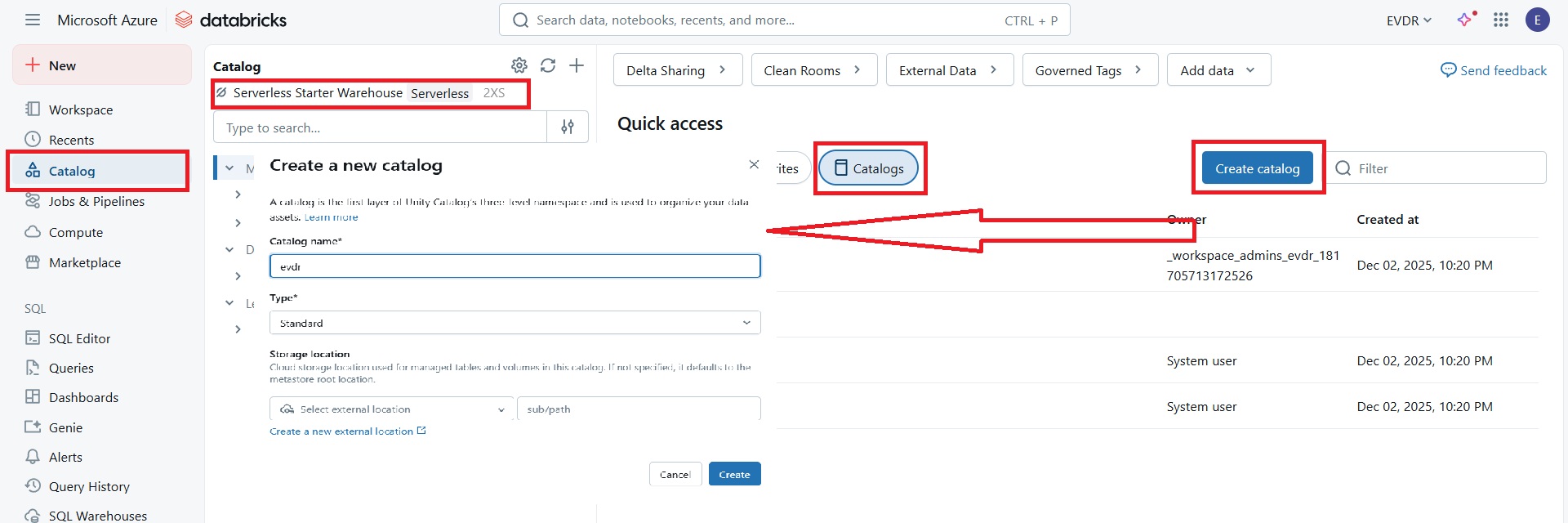
Step 2: Create a Unity Catalog
Create a new Unity Catalog and associate it with the SQL Warehouse from Step 1.
Step 3: Create a dbt Connection
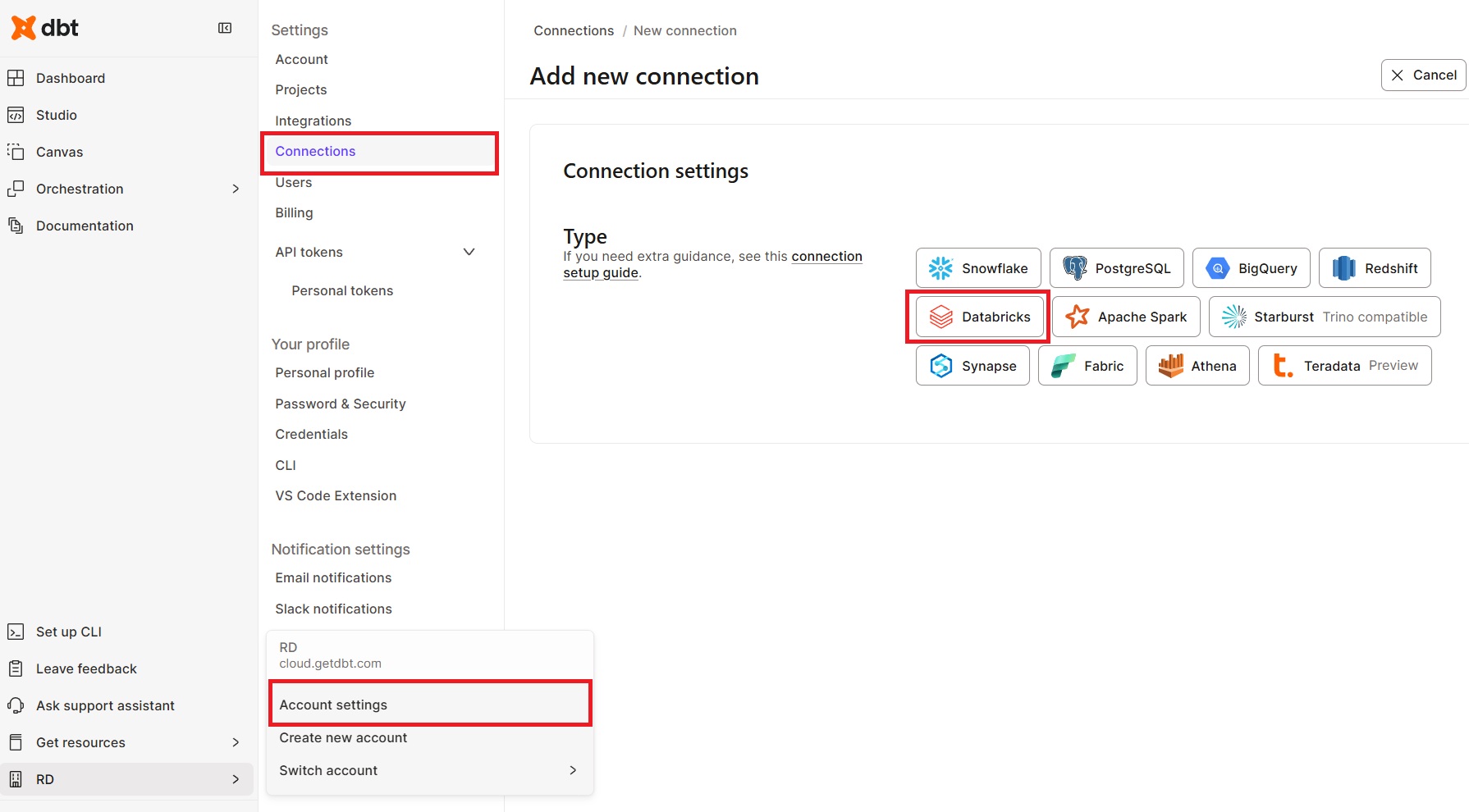
In dbt Cloud, go to Account Settings → Connections → New Connection:
- Select Databricks
- Enter the Server Hostname and HTTP Path from Step 1
- Optionally set the Unity Catalog name as the default catalog

Step 4: Generate a Databricks Access Token
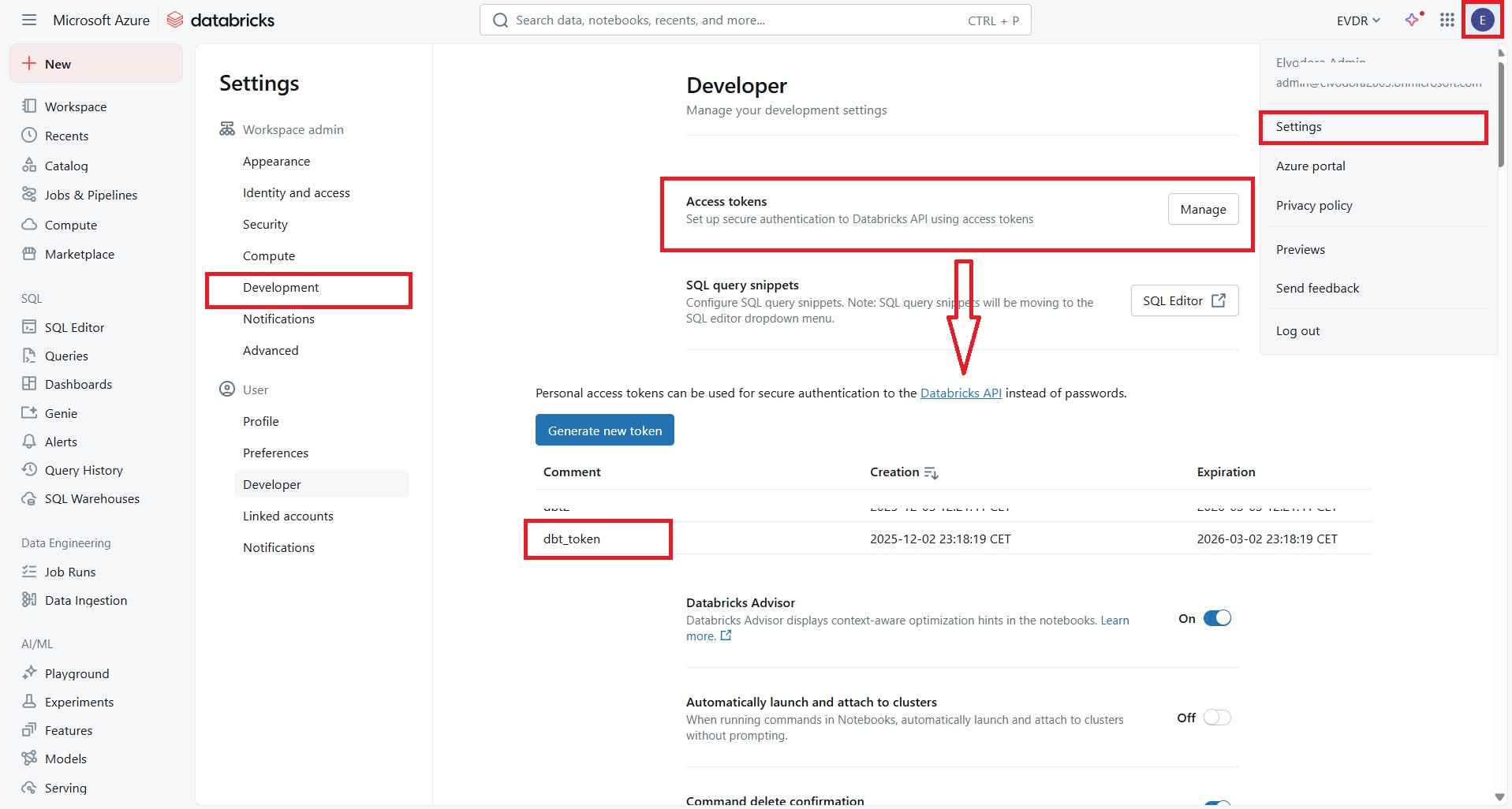
In Databricks, go to Settings → Developer → Access Tokens → Generate New Token. Copy the token — you will need it in the next step.
Step 5: Create and Initialise the dbt Project
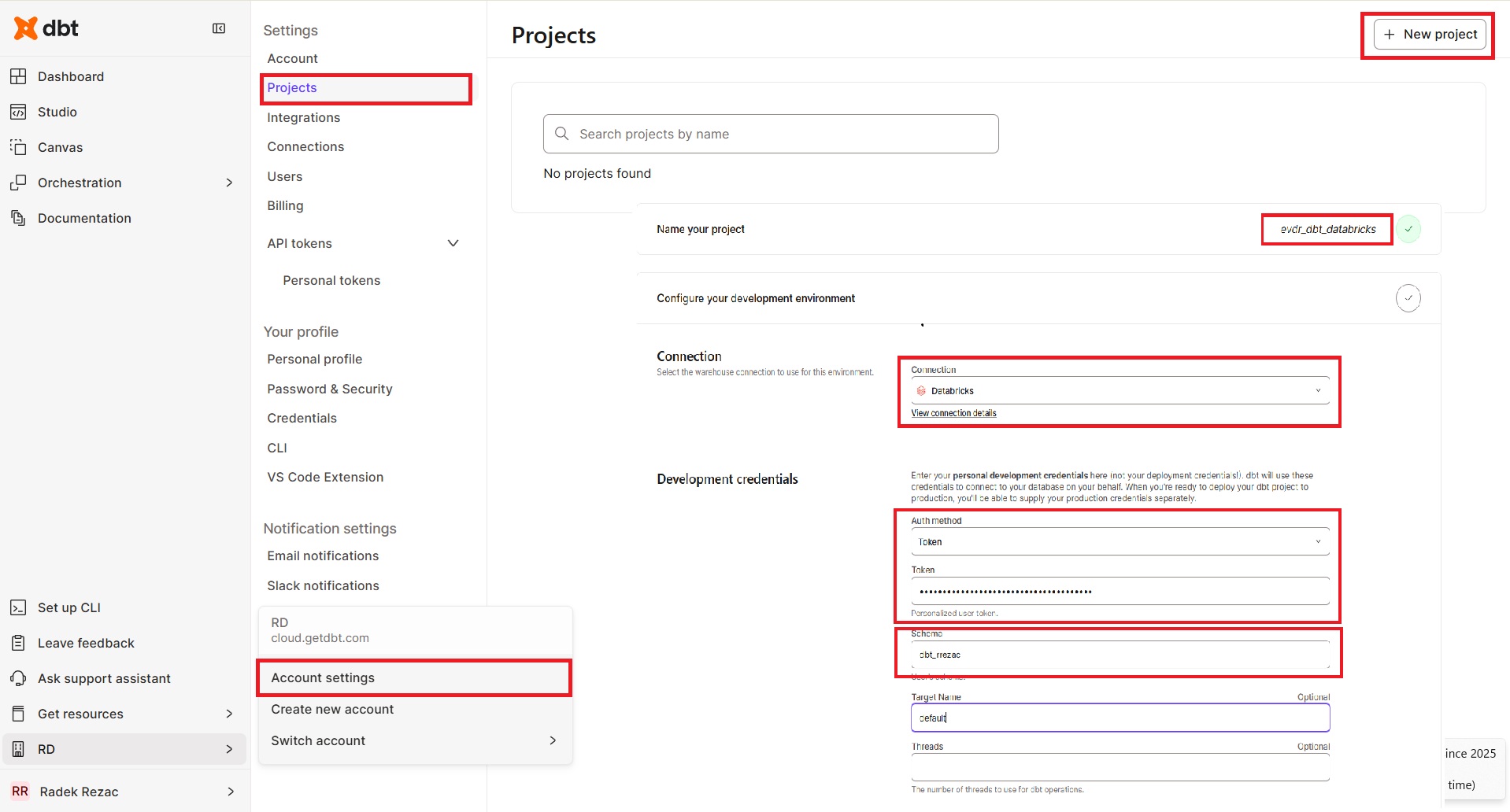
In dbt Cloud, go to Account Settings → Projects → New Project:
- Enter the project name
- Select the connection created in Step 3
- Select Token as the authentication method and paste the Databricks token
- Leave schema as default
- Set up a repository (create a new one or connect an existing one)
- Go to the Studio tab
- Initialise the project and commit to a new branch

What You Get
Once connected, you can author dbt models as SQL SELECT statements and dbt will materialise them as Delta tables in Unity Catalog. The full power of dbt — incremental models, snapshots, macros, tests, and sources — is available against Databricks compute, with lineage visible both in dbt Cloud and in Unity Catalog's governance layer.
This integration is particularly powerful for teams already running Databricks pipelines who want to bring engineering discipline (version control, testing, documentation) to their SQL transformation layer without switching platforms.
Data Catalog 3.0: Rise of the Active Metadata Platform
How the role of the data catalog has evolved from passive inventory to active metadata platform, and where it sits in the modern data stack and data mesh architecture.
Deploying Azure Resources with VS Code
Utilizing a Bicep script template for resource deployment via VS Code, the Azure CLI, and Azure DevOps CD pipelines.