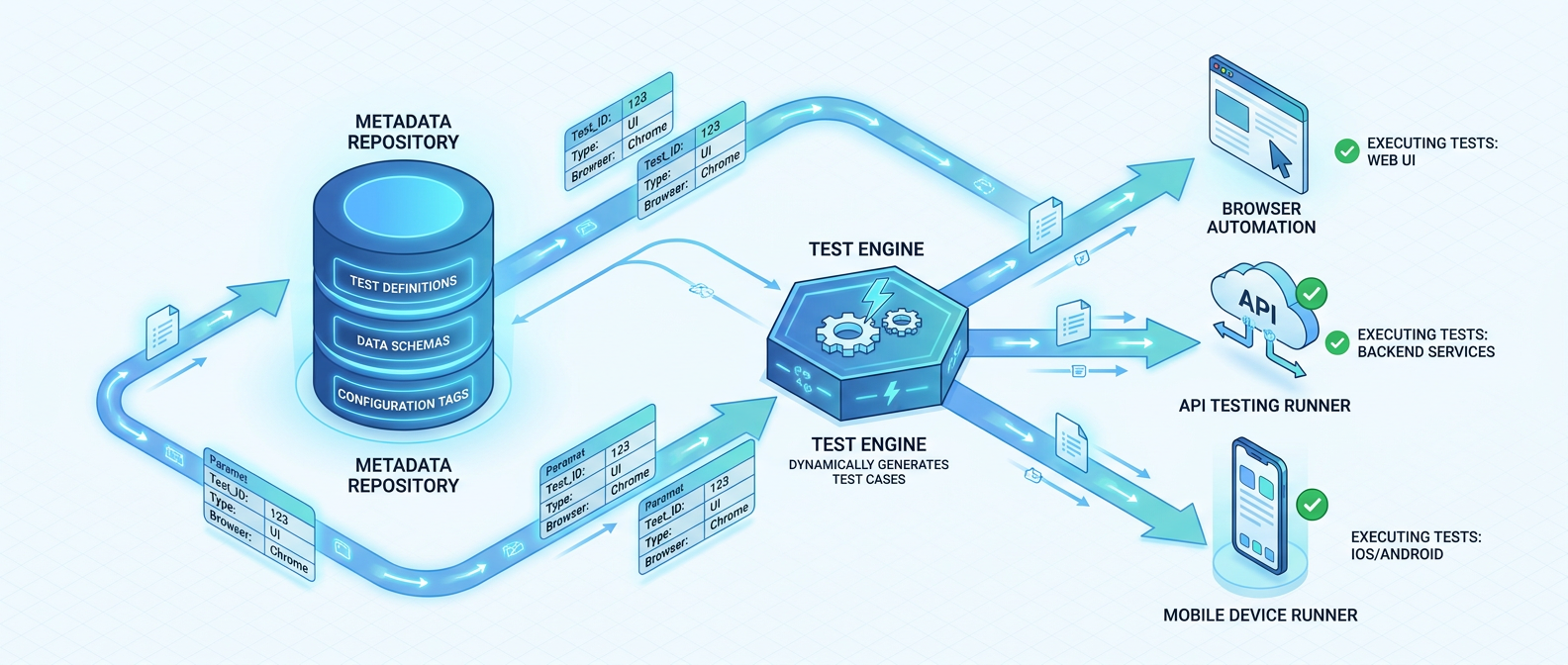
Metadata-Driven Automated Testing Framework
Built a data quality testing module integrated directly into the ADF ingestion workflow. Reuses the same generalised Copy pipeline and Metadata database — no separate test infrastructure. A Databricks Python test class executes row count, nullability, freshness, uniqueness, referential, and custom SQL checks after every ingestion run. All results are recorded against the object run ID for full traceability. Tests are configured via a self-service Metadata UI without code deployment.
Designed and implemented a metadata-driven automated testing module, integrated directly into the existing ADF ingestion workflow. Rather than maintaining separate test infrastructure, the framework reuses the same generalised ADF Copy pipeline and Metadata database to load test data alongside production ingestion, then invokes a dedicated Databricks Python test class to validate results against configurable test templates. Test outcomes are fully traceable via the Metadata database using the object run ID.
Technologies & Stack
- Azure Data Factory (ADF) — generalised Copy Activity pipelines for source data loading
- Databricks / PySpark — Python test class for in-platform test execution and comparison
- Delta Lake — target tables validated as part of the test cycle
- Metadata Database — test template storage, object configuration, and results audit trail
- Metadata UI — user-facing interface for self-service test definition without code changes
End-to-End Pipeline Flow
The testing framework is embedded directly into the standard ingestion pipeline, executing automatically as part of every data load cycle. The six-stage flow below illustrates how test configuration, data loading, processing, and result recording are orchestrated end-to-end:
| # | Stage | Description |
|---|---|---|
| 1 | UI Configuration | User defines test templates per object/system in Metadata DB UI — selects predefined tests or writes custom SQL |
| 2 | ADF Pipeline Trigger | Generalised ADF workflow pipeline is triggered for data ingestion; test templates are read from Metadata DB |
| 3 | Source Data Load | ADF Copy Activity loads source data into staging using the same ingestion pipeline — no duplicate infrastructure |
| 4 | Delta Processing | Data is processed into Delta Lake tables by the Delta Processing Framework |
| 5 | Databricks Test Class | Python test class is invoked; compares ingested staging data against Delta table results per test template |
| 6 | Result Recording | Test outcomes (pass/fail, counts, diffs) are written back to Metadata DB with the object run ID for full traceability |
Test Template Library
Users configure test templates per object or system through the Metadata UI. Each template specifies which test type to apply, the target column or expression, and any threshold or comparison parameters. The framework ships with a library of predefined test types covering the most common data quality checks, and also supports fully custom SQL-based tests for advanced scenarios.
| Test Type | Description | Example Configuration |
|---|---|---|
| row_count | Compares total row count between source and Delta table for the current load | tolerance: 0 (exact match) |
| not_null | Asserts that a specified column contains no NULL values after processing | column: customer_id |
| freshness | Validates that the most recent record timestamp is within an expected recency window | max_age_hours: 24, column: updated_at |
| grouped_count | Compares row counts per group (e.g. by date or category) between source and target | group_by: region, status |
| uniqueness | Checks that a column or composite key contains no duplicate values | columns: order_id, line_no |
| referential | Validates foreign key relationships between Delta tables post-ingestion | ref_table: dim_customer |
| custom_sql | User-defined SQL query; result set is compared for equality against a reference sample | sql: SELECT ... FROM ... |
| sample_equality | Extracts a deterministic sample from source and Delta table and compares values row-by-row | sample_pct: 5, seed: 42 |
Databricks Test Class Design
The core of the testing module is a Python class running on Databricks. It is invoked by the ADF pipeline as a notebook activity after ingestion and Delta processing complete. The class is structured to mirror the architecture of the Delta Processing Framework, with the Metadata database as the single source of truth for test configuration.
Responsibilities
- Read test templates for the current object and run ID from the Metadata database
- Load ingested staging data (the source copy produced by ADF) into a Spark DataFrame
- Load Delta table data for the same object and load window
- Execute each configured test by dispatching to the appropriate test method based on template type
- Evaluate pass/fail using configured thresholds, SQL comparisons, or sample equality checks
- Write results to Metadata DB with test name, status, expected vs. actual values, and the unique object run ID
Custom SQL & Sample Equality Tests
Users who require tests beyond the predefined library can define a custom SQL query directly in the Metadata UI. The test class executes the query against both the staging data and the Delta table, then compares the result sets for equality. For sample equality tests, a deterministic sample is drawn from both datasets using a configurable percentage and random seed, enabling lightweight but meaningful comparison of data content without full table scans.
ADF Pipeline Integration
A key design decision was to reuse the existing generalised ADF Copy pipeline for test data loading rather than building separate test infrastructure. During each ingestion run, the ADF workflow reads active test templates from the Metadata database and uses the same Copy Activity configuration to load a snapshot of the source data into a staging area. This approach delivers several advantages:
- Zero additional pipeline maintenance — no separate test pipelines to manage or version
- Consistent data snapshots — test data is loaded in the same run as production data, eliminating timing discrepancies
- Governed by metadata — enabling or disabling tests for an object requires only a metadata configuration change
- Reuses existing monitoring — ADF run history and alerting covers both ingestion and test data loads
Self-Service Configuration via Metadata UI
Data engineers and analysts configure tests through the Metadata UI without writing or deploying code. For each registered object or system, the user can:
- Select one or more predefined test types from the template library
- Specify columns, thresholds, grouping keys, or freshness windows per test
- Write a custom SQL query and designate it as the test expression
- Activate or deactivate individual tests per object without touching pipeline code
This self-service model significantly reduces the time to add data quality coverage for new objects and empowers teams outside of core engineering to maintain and extend test suites independently.
Traceability & Audit Trail
Every test execution is recorded in the Metadata database with the following attributes, linked to the originating pipeline run via the object run ID:
- Object and system identifier
- Test template name and type
- Expected value and actual observed value
- Pass / fail status and failure reason
- Execution timestamp and Databricks run reference
This audit trail enables teams to query test history per object, identify recurring failures, and correlate data quality issues with specific ingestion runs — providing full end-to-end observability across the pipeline.
Design Principles & Benefits
- Infrastructure reuse: test data loading piggybacks on the production ADF Copy pipeline, minimising operational overhead
- Metadata-driven configuration: tests are defined entirely in the Metadata DB — no code deployment required to add or change tests
- Extensibility: the predefined test library is supplemented by custom SQL, making the framework applicable to any validation scenario
- Full traceability: every test result is recorded with its object run ID, enabling precise root-cause analysis
- Tight integration: the testing framework operates as a natural extension of the Delta Processing Framework, sharing the same metadata, run context, and logging patterns
Outcome & Impact
The framework introduced automated, repeatable data quality validation across all pipeline-managed objects with no additional pipeline infrastructure. Data engineers can onboard new tests in minutes via the UI, and the full audit trail in the Metadata database provides immediate visibility into data quality trends over time. The reuse of existing ADF pipelines and the shared metadata model ensured the testing module could be adopted incrementally across all existing objects without rework.